Benefits of a Judging Agent
How two AI judges helped Claude turn a concept sheet into a 3D boat for my game, and what that extra quality costs.
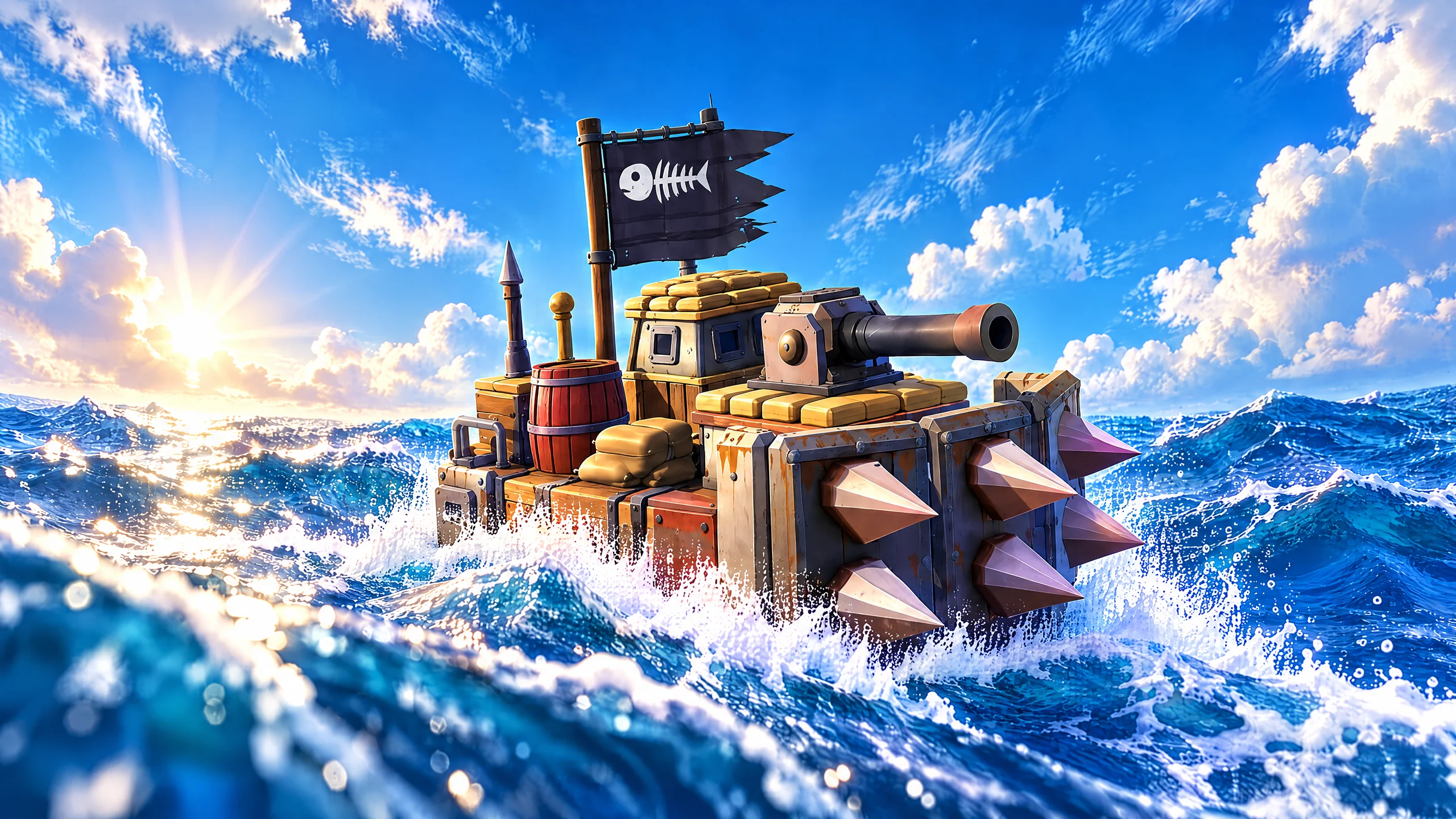
A judging agent is an AI whose only job is to grade another AI’s work. It doesn’t build anything. It looks at the work, gives it a score, and says what to fix.
In this article I’ll walk through how I used two judges to build the Battle Barge, a 3D boat for my game Open Water. I started with one AI picture. I ended with a 3D model in my game, plus a file I can download. I never opened Blender.
New to some of this? That’s fine. I’ll explain each piece as we go.
What is a judging agent?
When you ask an AI to build something, it works until it thinks it’s done. Then it tells you it’s done. In other words, it grades its own homework.
A judging agent is a second helper that checks that homework. In Claude Code, these helpers are called subagents. A subagent is a smaller helper that Claude starts for one job. You don’t need to set anything up. You just ask for them in your prompt.
Here’s how it works:
Claude builds something.
The judge compares it with what you asked for and gives it a score.
If the score is too low, the judge says what’s wrong.
Claude fixes it, and the judge scores it again.
This repeats until the score is high enough. Think of an art director looking over a 3D artist’s shoulder.
Why it helps
A fresh pair of eyes. The judge didn’t make the thing, so it has no reason to go easy on it.
It keeps going. Claude stops when the work is good, not when it feels done.
Clear notes. A judge says what’s off, like “the hull is too flat” or “the metal is too shiny.” That gives Claude something real to fix.
You set the bar. You pick the score that counts as good enough.
Each judge stays focused. Give each judge one topic. A judge who only checks shape won’t let a nice paint job hide a lumpy hull.
Step 1: Find the look
Every game starts with an idea. Mine was a calm fishing game on an endless ocean.
I opened Generate in SnekLab, picked GPT Image 2, and asked for a pretend screenshot of the game:
Result:
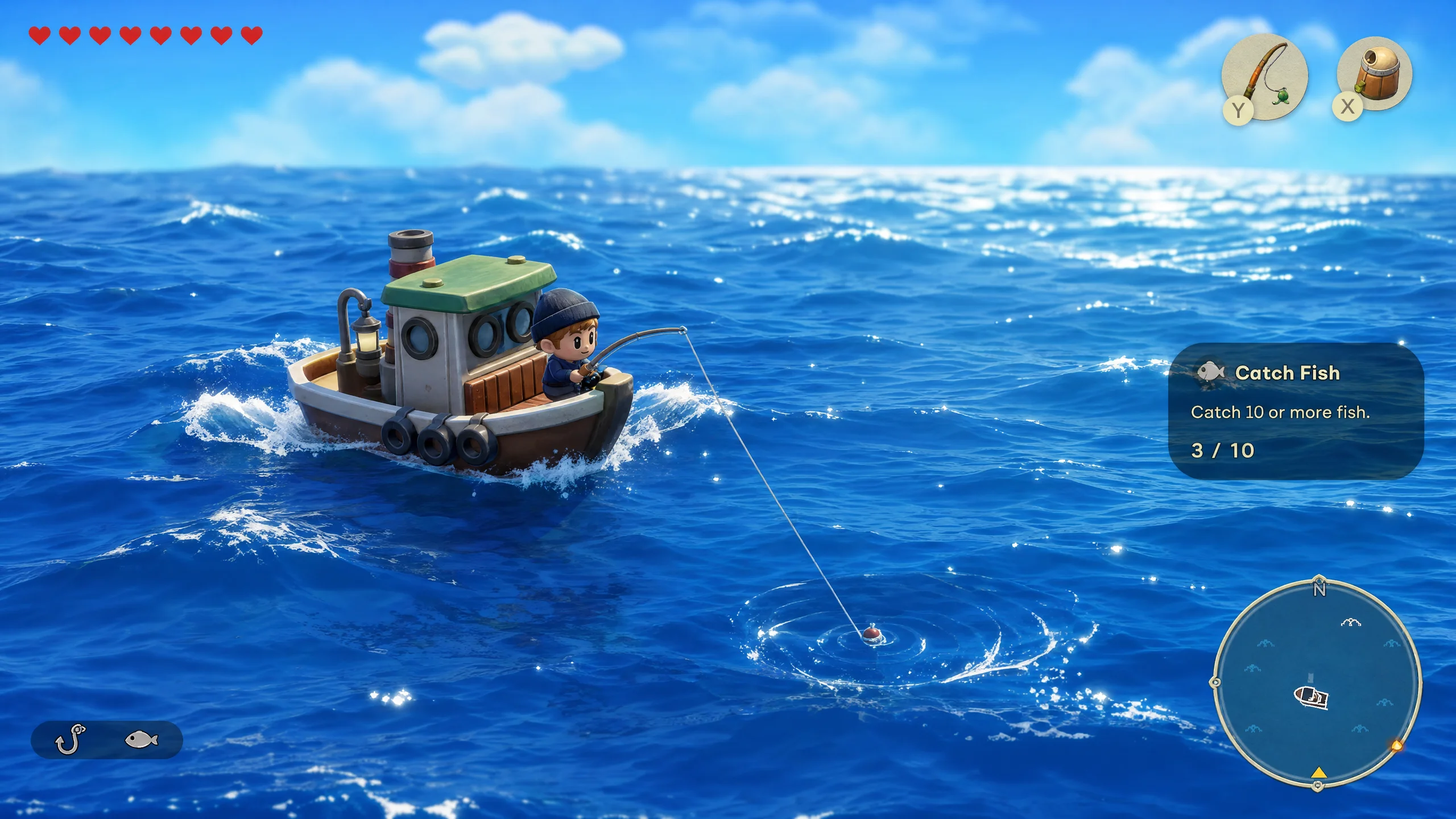
Why a pretend screenshot? It shows a lot at once: the mood, the camera, the art style and the UI. That’s hard to get across in words alone. So I will often experiment with different styles and treatments to see if something stands out to me to explore.
Step 2: Explore the world
Next I used that first picture as a reference image. A reference image is a picture you give the AI along with your prompt. It tells the AI “match this.” That way, every new picture looks like it’s from the same game.
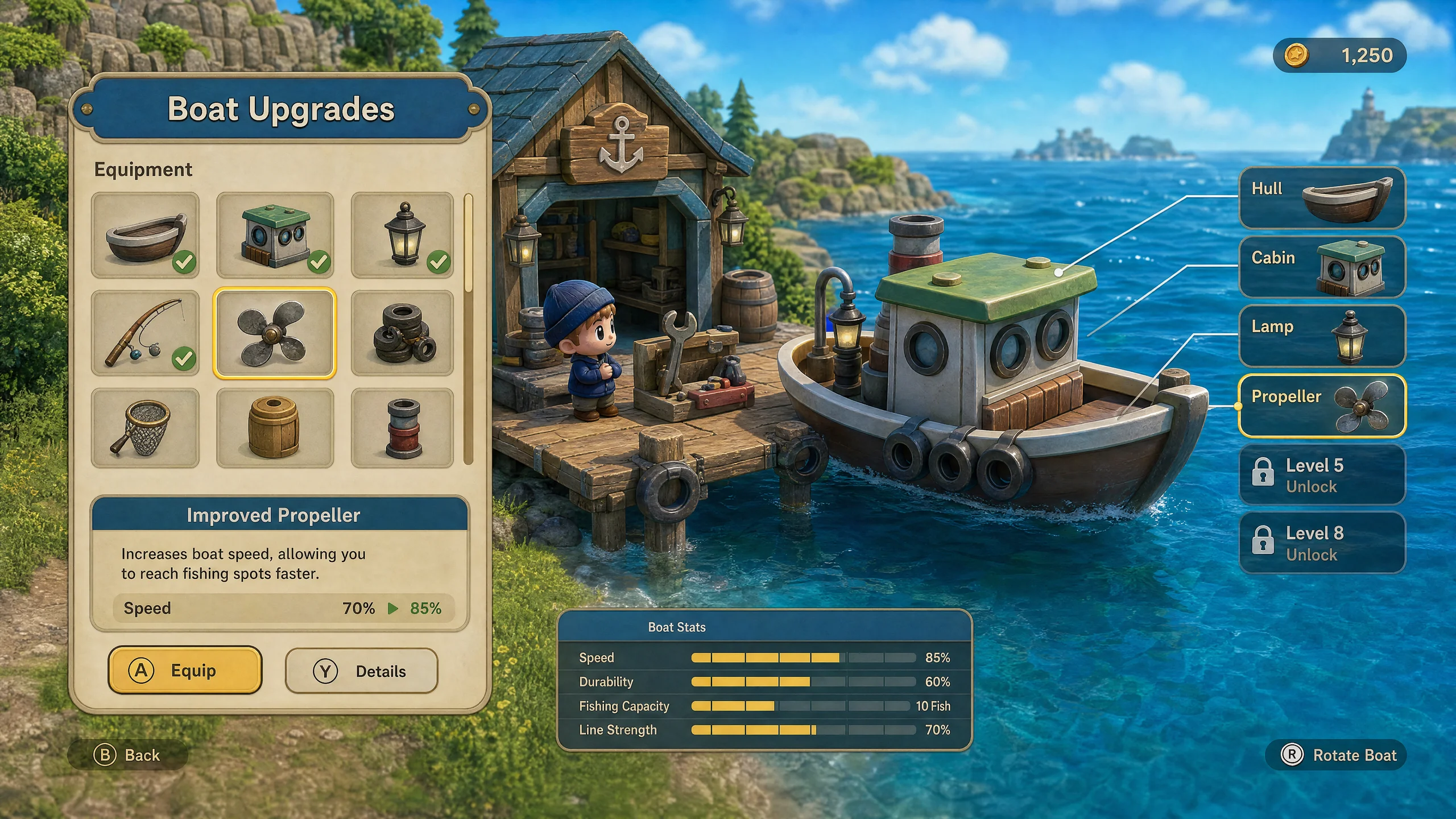
First I wanted to see how boat upgrades might work:
Can you make a scene from this fishing game where the player is making upgrades to there boat? It is a slot/equipment based UI here they are able to select different pieces from an inventory and mount them into their boat.
Result:
Then I wanted to see where the player lives. There’s no land in this game, so the player builds a home on the water:
Result:
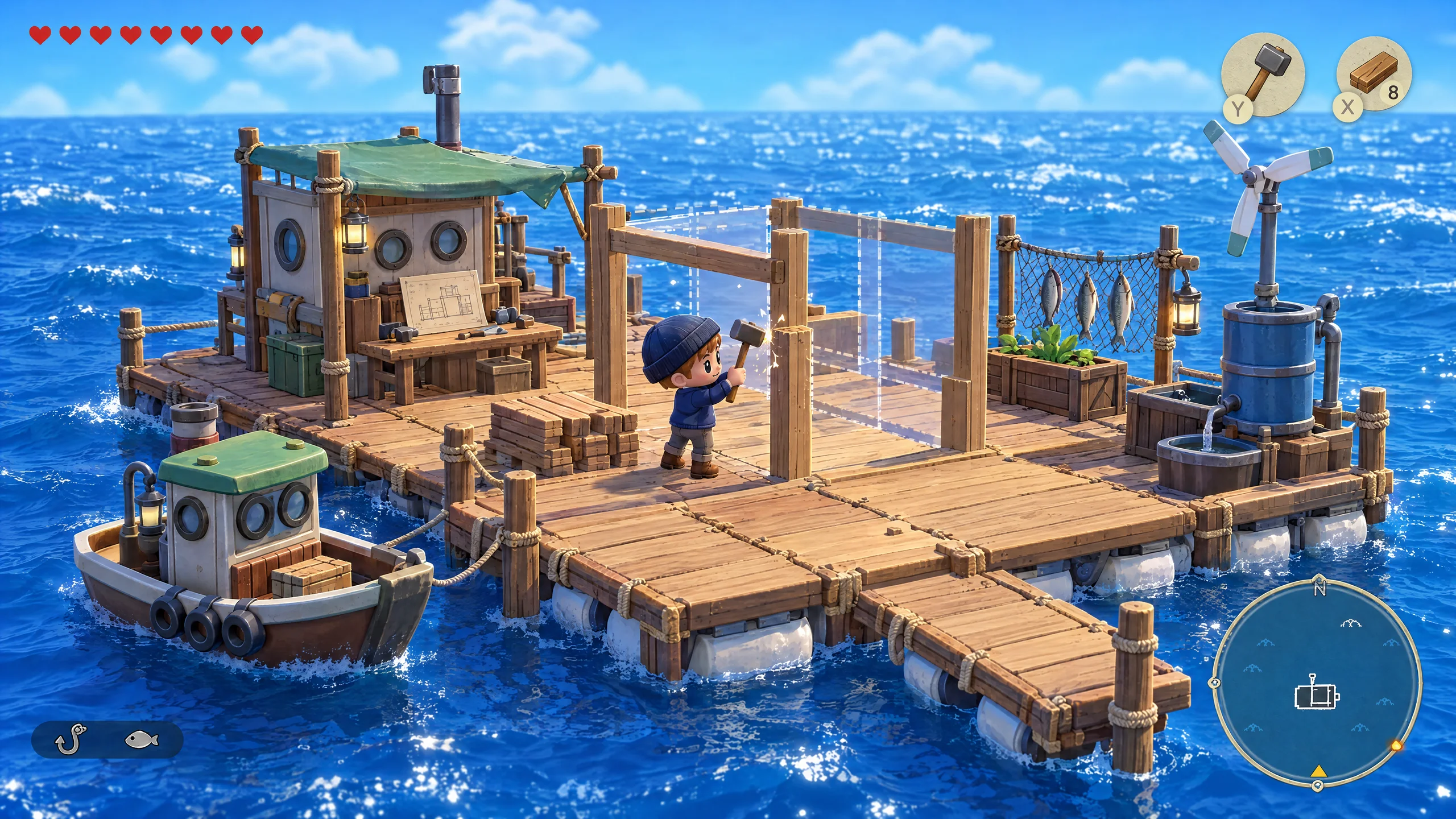
Each picture answered a design question. How do upgrades look? Where does the player live? It’s a fast way to find out what your game is about.
Step 3: Make a prop sheet
A prop sheet is a page that shows game objects from several sides, like the front, side and top. Concept artists make them so 3D modelers know exactly what to build.
I asked for a sheet of boats:
Result:
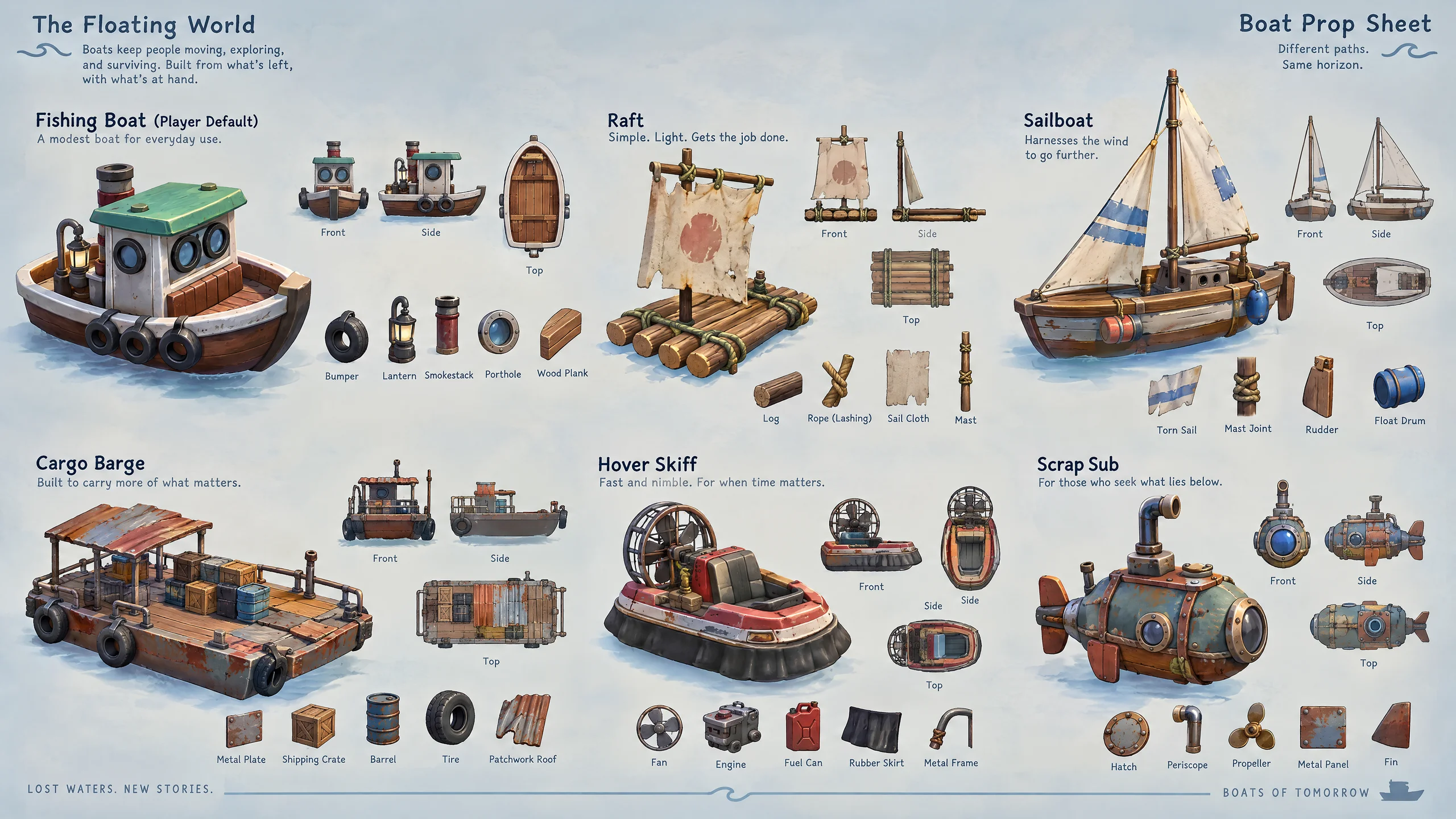
Then I ran the same prompt again. The AI gives a new answer each time, so a second run is a free batch of new ideas.
Result:
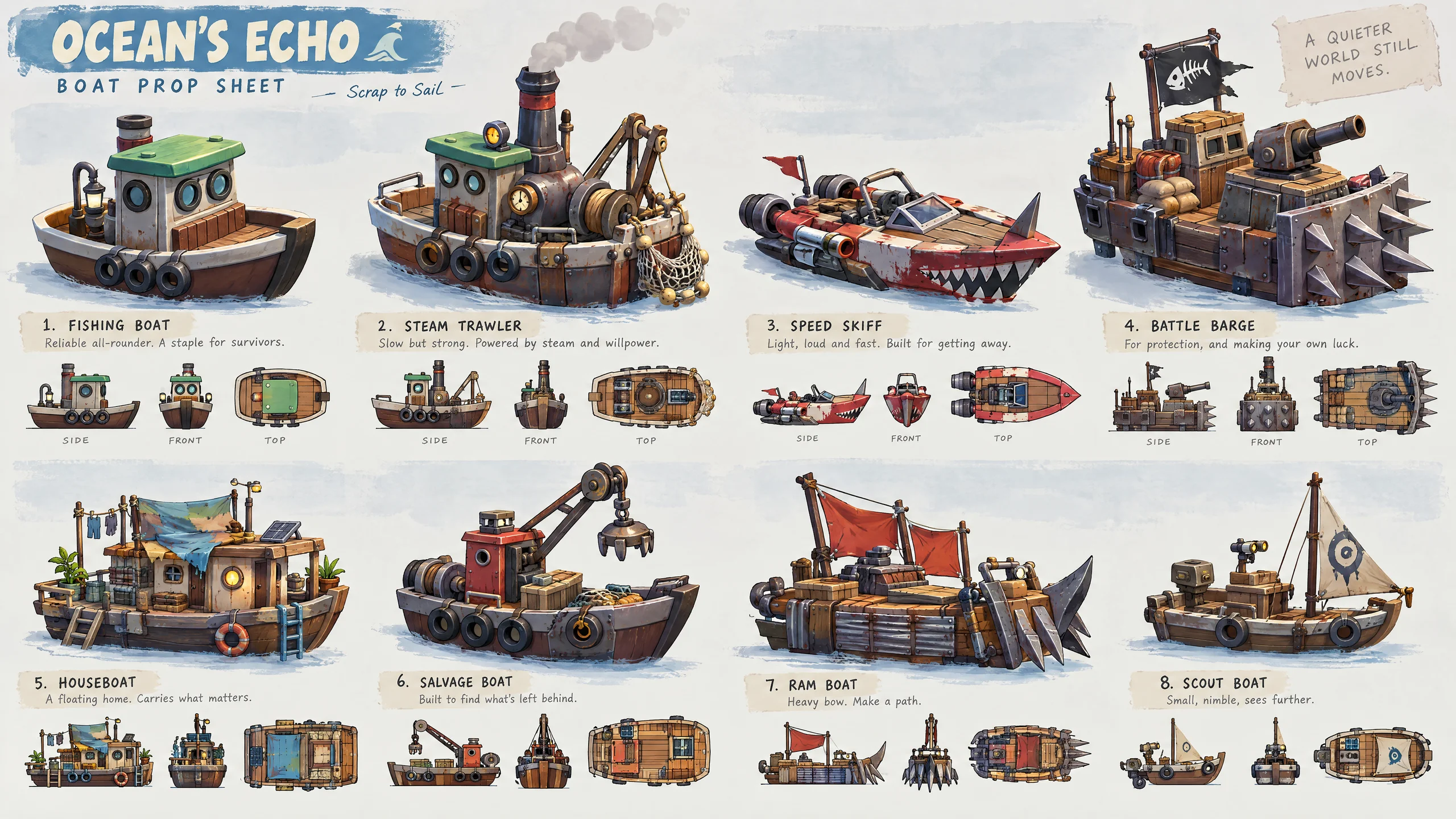
That second sheet had the Battle Barge. Spikes, a cannon and a pirate flag. I loved it.
Step 4: Zoom in on one boat
To model one boat well, I wanted a sheet for just that boat. I used the boat sheet as my reference image, with this prompt:
Result:
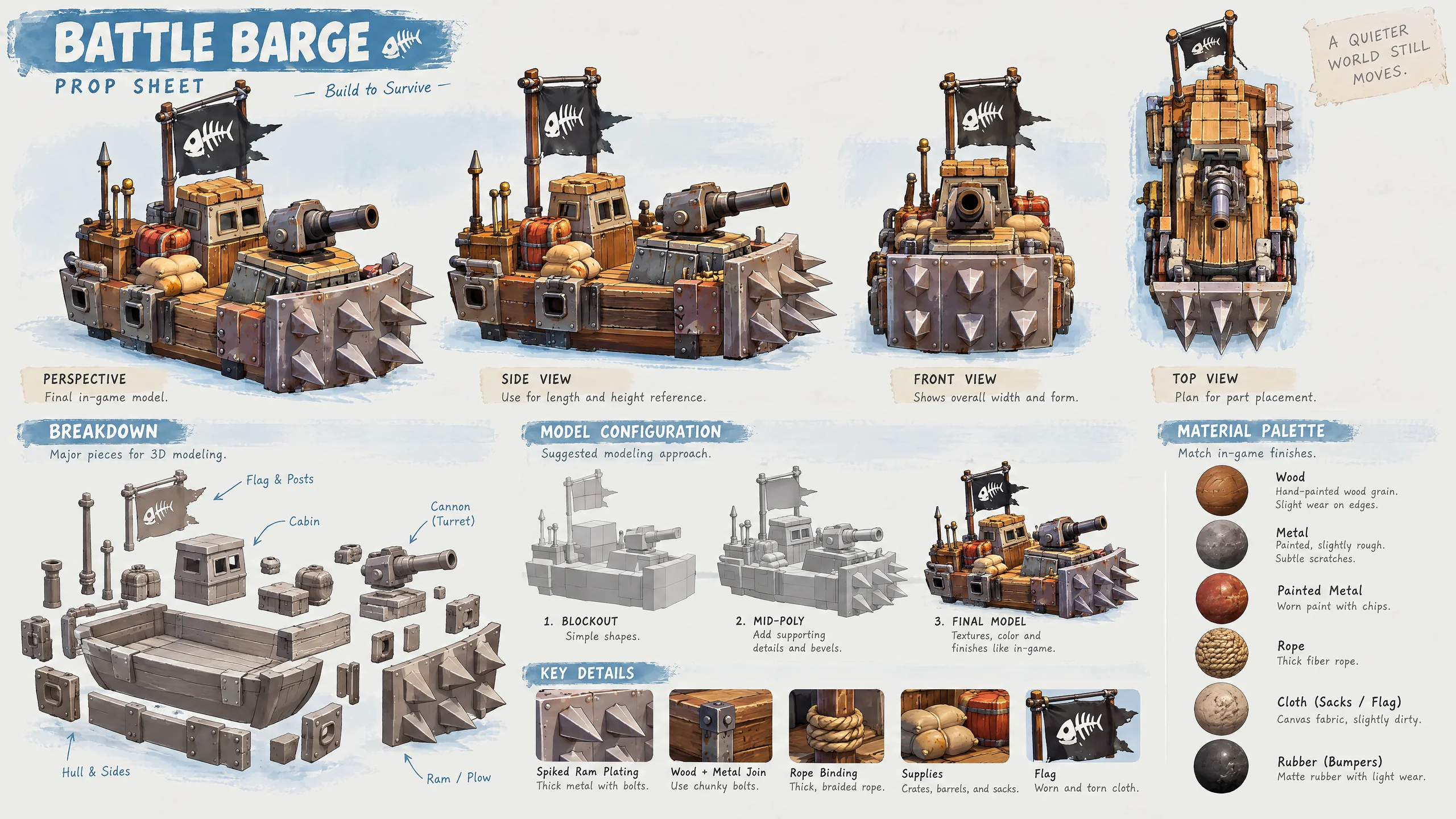
This is the picture the judges compare Claude’s work against. The more detail it shows, the better they can judge.
Step 5: Build it with Claude and two judges
SnekLab has an MCP connection. MCP lets an AI helper like Claude Code work on your SnekLab games. It can read the code, change it and save new versions. If you haven’t set it up yet, start with Hooking up MCP in SnekLab.
I gave Claude Code the Battle Barge sheet and this prompt:
Here’s what that prompt sets up:
The builder. Claude makes the boat.
Judge 1: shape and form. Is the outline right? Are the parts the right size and in the right place?
Judge 2: texture and color. Do the materials and colors match the sheet and the game’s style?
The bar. Each judge must score its part 9.3 out of 10 or higher. Until both do, Claude keeps fixing.
Why 9.3? It’s a high bar, on purpose. This boat is a hero piece that players will see up close. You can pick your own number.
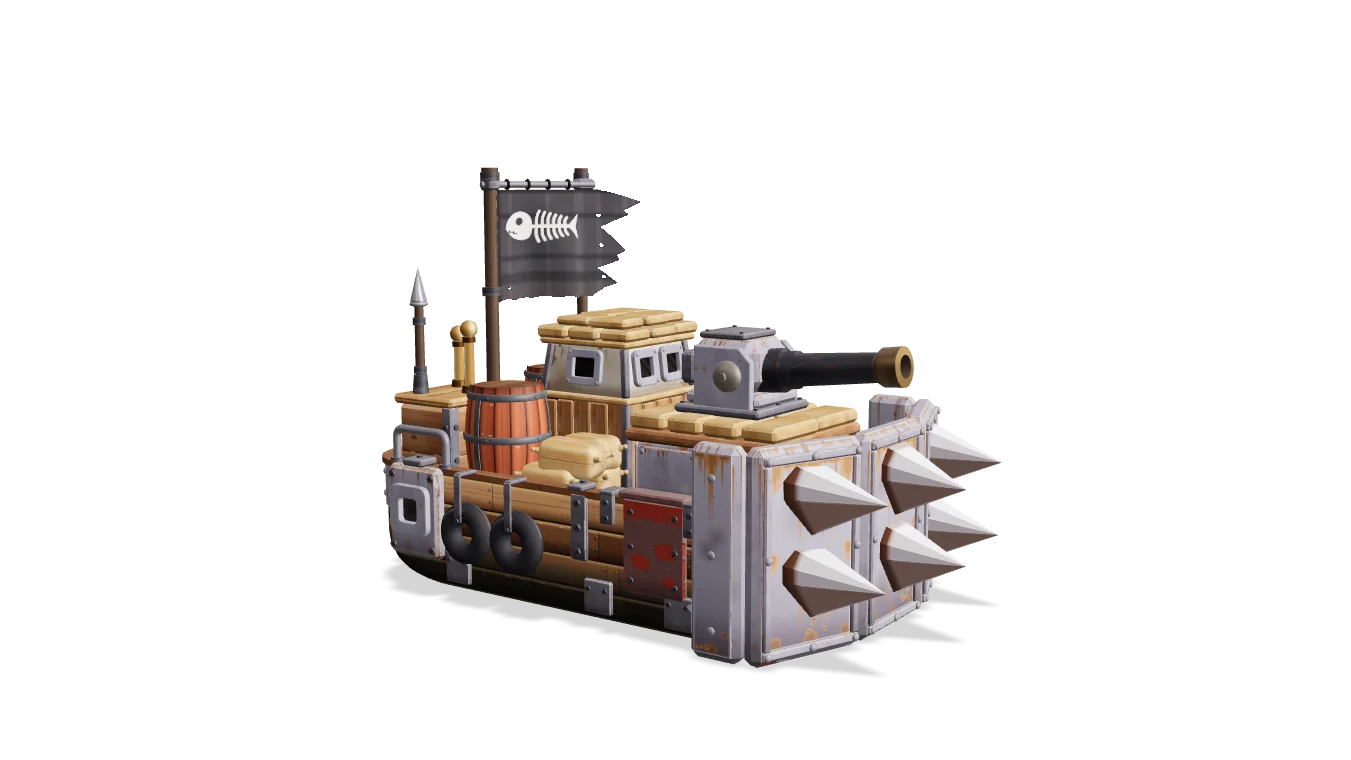
I did all of this in Claude Code with Opus 5.5. I didn’t touch Blender or any other 3D tool. Claude built the whole boat.
The trade-off: time and usage
Judges make the result better. They also make the task take longer. And because it takes longer, it consumes more token use, potentially costing you more money. But the results speak for themselves.
Without judges, Claude makes one pass and stops. With judges, it works in rounds: build, judge, fix, judge again. A high bar like 9.3 can take several rounds.
Every round also uses more AI. Through MCP, that comes out of your Claude plan’s usage, so a judged task uses more of it than a quick one.
So save judges for the things that matter:
Worth it: hero objects, main characters, anything players look at up close.
Skip it: Quick tests or ideas you might throw away.
In between: lower the bar. A score of 8.5 still catches the big mistakes, in fewer rounds.
Download your model as a file
There’s one more thing to know about models Claude makes.
Claude builds models with code. The code tells the game how to put the boat together, piece by piece, when the game runs. So normally there’s no 3D file at all. The boat only exists while the game is running.
SnekLab handles this for you. It spots the models your game draws in code and saves a copy of each one as a GLB file. GLB is a common 3D file type. Blender, Unity, Godot and most other 3D tools can open it.
To get yours:
Open your game in SnekLab.
In the right sidebar, find Assets and click 3D from code.
Click the download button next to the model you want.
Now your model can go anywhere: another game engine, a render, or Blender if you want to tweak it by hand.